revert-discord
CSS rules to revert to Discord's April 2025 theme
Project maintained by Constrat Hosted on GitHub Pages — Theme by mattgraham
Revert Discord
A custom CSS theme that reverts Discord’s interface to a more classic appearance.
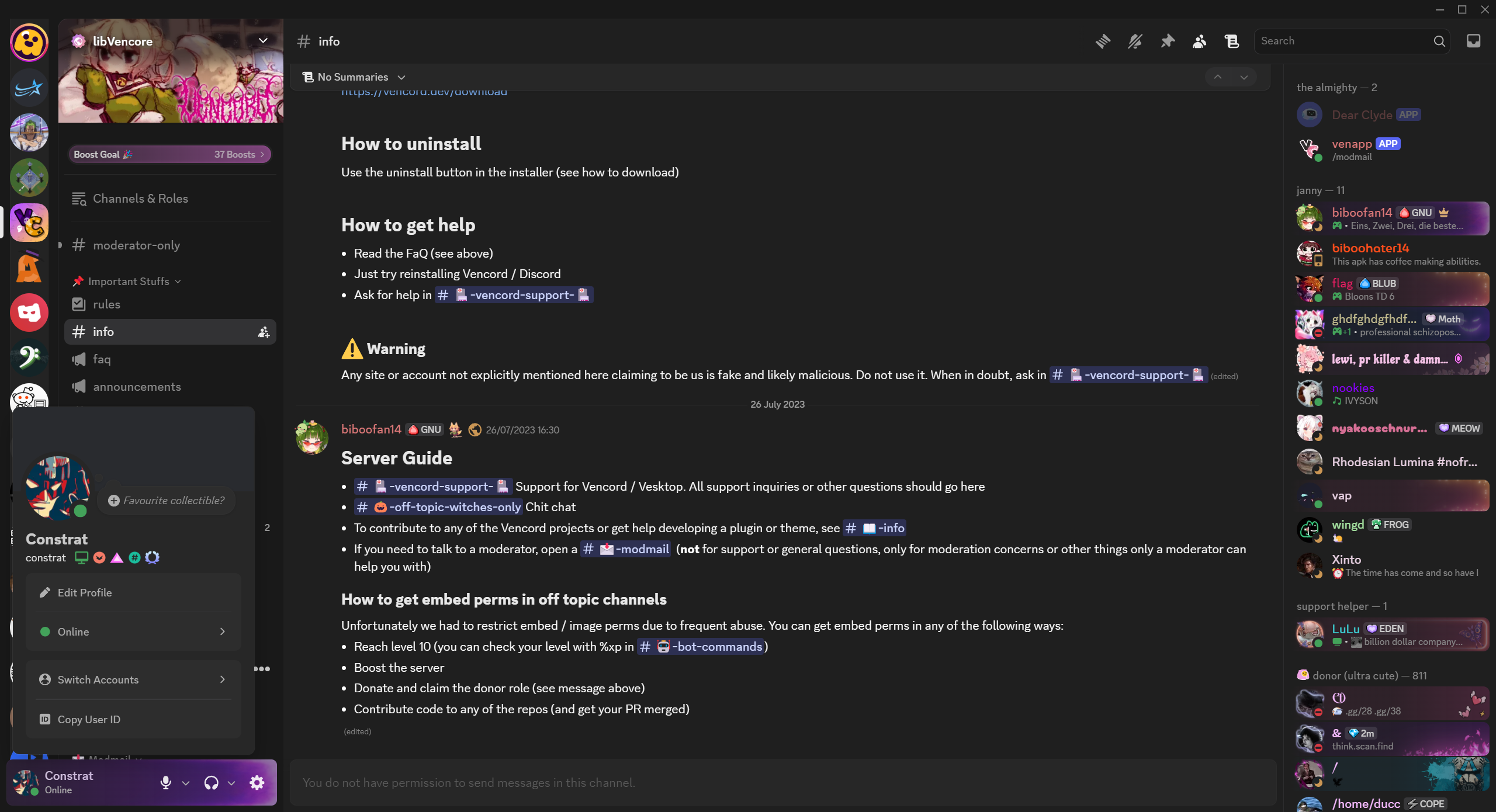
Overview
Revert Discord is a custom CSS theme that modifies Discord to restore elements from before the April 2025 changes.
- Modified server list sizing and positioning
- Adjusted folder styling and previews
- Classic message styling with improved readability
- Repositioned window controls and top bar elements
- Removed rounded corners for media elements
- And other subtle UI tweaks
Installation
To use this theme with Discord, first install a client mod that supports custom CSS (like Vencord).
Options with Automatic Updates
These methods will automatically receive updates when the theme is updated:
Option 1: Vencord Online Themes
If you’re using Vencord:
- Go to Vencord Settings → Themes → Online Themes
- Paste this URL in the “Online Themes” field:
https://constrat.github.io/revert-discord/revert.css
Option 2: Theme File with Auto-Updates
- Download revert.theme.css
- Save it to your client mod’s themes folder:
- Windows:
C:\Users\YourUsername\AppData\Roaming\Vencord\themes\ - macOS:
~/Library/Application Support/Vencord/themes/ - Linux:
~/.config/Vencord/themes/
- Windows:
- Enable the theme in your client mod’s settings
This option uses a theme file that imports the online version, so you get automatic updates.
Option 3: Quick CSS Import
Add this line to your client mod’s Quick CSS:
@import url("https://constrat.github.io/revert-discord/revert.css");
Options without Automatic Updates
These methods require manually updating the theme when changes are made:
Option 4: Manual CSS Installation
- Copy the entirety of revert.css
- Paste the contents into your client mod’s custom CSS section
- Note: This method allows for customization but will not receive automatic updates
Customization
Customization is only possible when using Option 4 (Manual CSS Installation). All auto-updating options will always load the default version.
To customize the theme:
- Use Option 4 to copy the entire CSS code into your client mod
- Modify the CSS variables at the top of the file or comment out specific sections
- Example customizations:
- Adjust server icon sizes by changing
--guildbar-avatar-sizevalue - Disable specific features by commenting out sections (like hiding Nitro gift button)
- Adjust server icon sizes by changing
Remember that customized versions will not receive automatic updates. You’ll need to manually update your custom version when new features are released.